Play Game
Powered by EmulatorJS · Arcade
Handheld game published 44 years ago:
Fire Attack (c) 1982 Nintendo Co., Ltd.
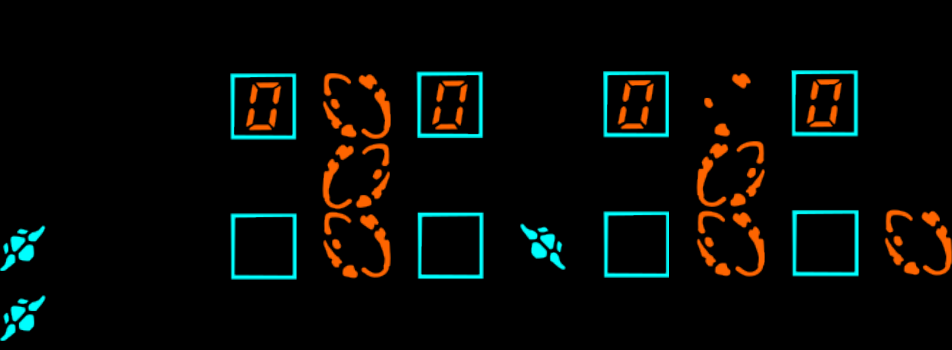
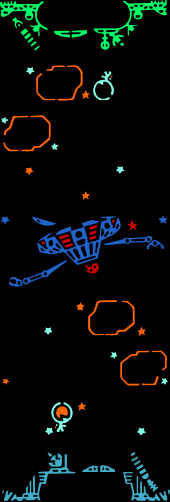
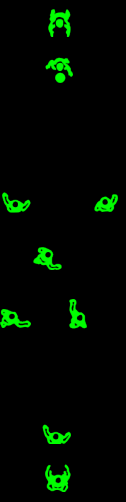
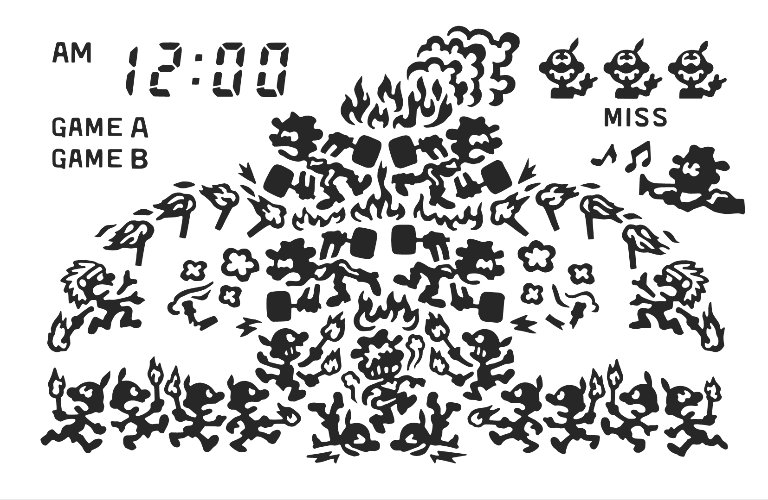
The main character uses a tomahawk-type weapon to protect a fort from burning. The top row of enemies are Indian chiefs who throw firesticks, and the bottom row of enemies are traditional Game & Watch characters who try to set fire to the fort with a match. Two points are earned for each fire blocked. Three misses are allowed, which occur each time the fort catches fire. All misses are erased at 200 points and again at 500; if there aren't any misses at these times, 5 points are awarded per hit for a period of time.
In Game B, attackers come from 4, rather than 3 directions and attacking speed is faster.
- TECHNICAL -
Model ID-29
- TRIVIA -
Released on March 26, 1982 (Friday) in Japan.
In the Super Smash Bros. series, Mr. Game & Watch's side-Smash attack makes him attack with a torch from Fire Attack.
- PORTS -
* CONSOLES: GBA "Game & Watch Gallery 4"
If you are exploring by feel rather than by title, jump from the tags above into the matching genre rooms, or return to the Arcade hall for the full wall.
Open Play on this page to start Game & Watch: Fire Attack. Keyboard, USB/Bluetooth pads, and the on-screen touch gamepad all work inside the emulator bar. Save states and fullscreen live on that same bar so you can pause mid-session and resume later.
Game & Watch: Fire Attack (Nintendo, 1982) has you defending a fort with a tomahawk-type weapon against burning threats under G&W chrome. Your job is swing timing and lane literacy—Fire Attack branding does not block for you. Learn Game A before inventing Game B tourism. Treat Fire Attack as a 1982 defense exam, not a free twin of Fire trampoline titles.
First sessions: Game A, learn tomahawk timing and which lanes burn first, and clear a real defense streak without rage. Soft-continue after burns while LCD grammar warms. Early play teaches Fire Attack honesty—survive clean defenses before inventing Game B tourism through every unread burn lane on the 1982 face.
Tomahawk/defense verbs, burning attackers as wired, Game A/B, and G&W LCD quirks define the systems. Depth is reading which lane needs a swing under tiny-screen pressure on this 1982 dump. Fort chrome densifies distraction—keep eyes on approaching threats when lanes densify, not on fort art, in Fire Attack.
Successful defenses and score streaks meter the session; burns tax continues. Continues while learning are fine. Extending means fewer missed lanes and fewer panic swings. Farming easy Game A forever without denser Game B still leaves Fire Attack unread. Progress is streaks you can narrate mid-defense, not one lucky G&W screenshot.
Common G&W Fire Attack fails: swinging blind; ignoring side lanes; rage-restarting after one burn; and pasting Fire trampoline habits onto this fort defense. Also: sightseeing fort art mid-attack instead of reading lanes. Next credit: Game A only, read lane then swing—stop blind-swing tourism on later Fire Attack sessions.
When Fire Attack streaks stay clean without constant burn empties, compare Fire Wide Screen deliberately for verb drift, then return with lane notes. Keep playing until missed-lane empties stop ending every session mid-defense. Cousin G&W defense toys help as contrast after Game A feels automatic—not as escape from lanes you still mash. Clear one careful Game A streak before you chase Game B again on Fire Attack.
Sources cited below under Further reading.
Genre tags on Classic Arcade Games: Handheld, Arcade.
Nearby cabinets you may also open from this hall (each on its own play page):Retro Dance Mat (110 song Super StepMania + 9-in-1 games) (PAL), Alien Attack, Alien Chase, Dribble Away Basketball, BittBoy Mini FC 300 in 1, Kick The Goal Soccer, Pengo (Bandai), Ultraman Monster Battle, Who Wants to Be a Millionaire? (Character Options, Plug and Play, UK), Cybiko Classic (V1), Double Dance Mania - Techno Light Edition, Dance Dance Revolution Disney Mix
Retro Dance Mat (110 song Super StepMania + 9-in-1 games) (PAL) · Alien Attack · Alien Chase · Dribble Away Basketball · BittBoy Mini FC 300 in 1 · Kick The Goal Soccer · Pengo (Bandai) · Ultraman Monster Battle · Who Wants to Be a Millionaire? (Character Options, Plug and Play, UK) · Cybiko Classic (V1) · Double Dance Mania - Techno Light Edition · Dance Dance Revolution Disney Mix
Yes. Classic Arcade Games hosts Game & Watch: Fire Attack as a Arcade cabinet you can start on this page. The emulator loads in the browser; you do not need to install a separate app.
Arcade stick feel: Arrow keys for the joystick, X/Z (and nearby keys) for buttons, Enter=Start. USB / Bluetooth pads map cleanly; six-button fighters use the face-button cluster.
Our catalog tags Game & Watch: Fire Attack under Handheld, Arcade. Open those genre rooms from the tags on this page to find more playable cabinets in the same feel.
Copy the iframe code below to embed this game on your site.
<iframe src="https://classicarcade.games/games/arcade/gnw_fireatk?embed=1" width="800" height="600" allowfullscreen allow="gamepad; autoplay; fullscreen"></iframe>