Play Game
Powered by EmulatorJS · Arcade
Battle through side-scrolling stages using a variety of fantasy character classes to defeat waves of enemies. Combat relies on melee strikes and magical spells to clear paths through multiple levels. This 2.5D fighter focuses on rhythmic combat encounters and managing character abilities while progressing through the game's stages.
Player layout in our catalog: 3P sim.
If you are exploring by feel rather than by title, jump from the tags above into the matching genre rooms, or return to the Arcade hall for the full wall.
Open Play on this page to start The King of Dragons. Keyboard, USB/Bluetooth pads, and the on-screen touch gamepad all work inside the emulator bar. Save states and fullscreen live on that same bar so you can pause mid-session and resume later.
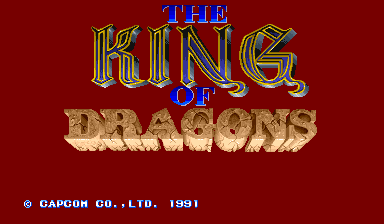
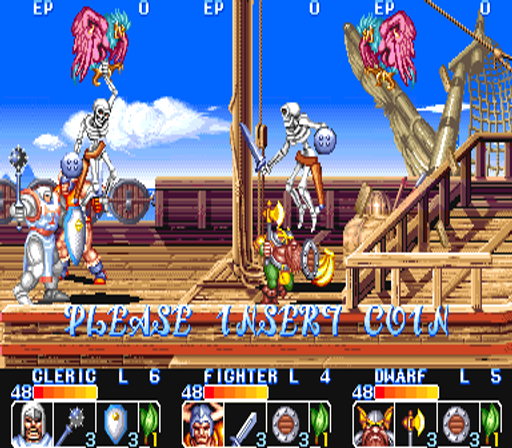
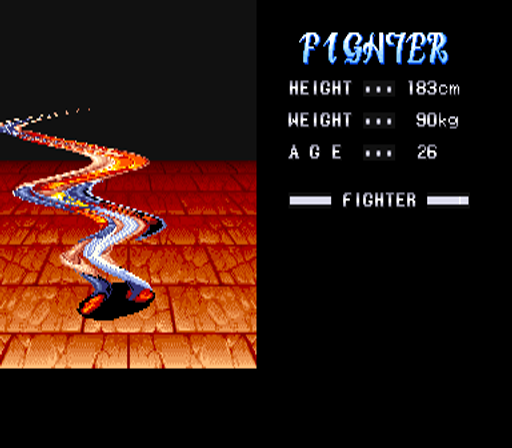
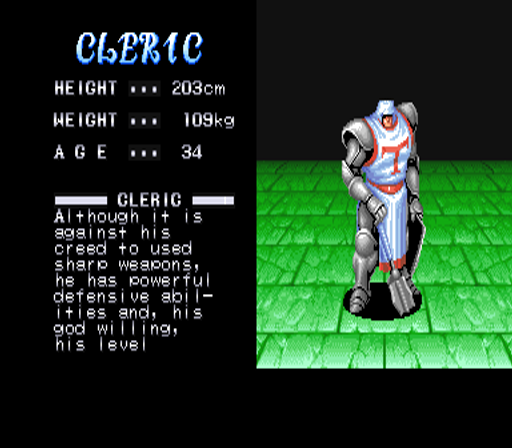
The King of Dragons (Capcom CPS) is a fantasy belt scroller where you pick a class—fighter, cleric, elf, wizard, dwarf, and company depending on the board—then cut through monster stages toward the dragon finale. Co-op crowding punishes four players stacking on one orc while the other lane fills with fresh spawns. Weapon pickups and level growth change reach, but overlapping the whole party on a single elite still wipes the screen. Your job is lane control and special honesty: arrive at bosses with a useful weapon and leftover composure, not empty hands after mid-stage vanity deaths. Treat it as Capcom co-op literacy dressed in armor and magic rather than a class-tourism parade.
Lock one class for several credits so hitbox length and special timing settle under the same spawn density. Fighter reach, mage projectiles, and thief tools feel different when the screen fills; hopping every credit resets that investment. On the first outdoor stage, walk between spawn points instead of camping the exact center. Grab weapons when the lane is clear; fighting partners for the same chest while goblins chip from behind wastes the credit. Specials break surrounds and boss phase transitions—do not dump them on a single weak goblin for vanity damage. In multiplayer, call who opens the next drop before inventing score routes nobody asked for.
Class kits, weapon pickups, level growth as mapped on your ROM, specials, and mid/boss scripts define King of Dragons. Continuity after hits matters: reclaim a weapon before the next door when you can rather than walking empty into a choke. Bosses punish standing in projectile shadows, breath cones, and charge recoveries. Continues fund boss literacy; class-hopping every credit throws that literacy away. Co-op etiquette—who eats, who opens, who holds a lane—decides more runs than the attract-mode damage numbers suggest. Fantasy skins do not rewrite Capcom belt physics: screen control still decides who lives.
Boss inventory reserved beats mid-fight tourism every time. Continues while stacking stops ending runs; cut them once special trash on singles stops wiping the party at doors. Extends follow score milestones when your ruleset awards them. Clean stage clears beat farming the opening forever while four players still overlap on one target. In a crowded cabinet, agree practice versus pride credits so one coin-feeder does not distort learning for everyone else still labbing the dragon tells.
Class tourism every credit, stacking the whole party on one enemy, specials on singles, eating at full health, and entering bosses empty-handed after greedy deaths are the usual King of Dragons sinks. Per credit lock a class, keep a lane, save specials for surrounds and boss doors, and call pickups out loud before two fighters collide over one sword. Ignoring off-screen partners while chasing a chest is how co-op credits die looking busy. Armor art will not refill an empty special bar.
Knights of the Round and Warriors of Fate continue Capcom fantasy co-op belts with different casts and pacing if you want the same lane gospel under new weapons. Final Fight is the tighter street teacher when you want fewer classes and clearer grab lessons. Konami’s Mystic Warriors offers similar four-player fantasy chaos with another company’s spawn rules if you want to keep co-op muscle memory warm on darker stages after King of Dragons.
Sources cited below under Further reading.
The King of Dragons is filed in our catalog as a 1991 release.
Player layout on this cabinet: 3P sim.
Genre tags on Classic Arcade Games: Fighter.
Credit line lists Capcom as developer.
Nearby cabinets you may also open from this hall (each on its own play page):Captain Commando, Cadillacs and Dinosaurs, Knights of the Round, Street Fighter II': Hyper Fighting, Super Street Fighter II: The New Challengers, Super Street Fighter II - The New Challengers (bootleg of Japanese Mega Drive version), Street Fighter II (handheld), Tenchi wo Kurau II: Sekiheki no Tatakai (CPS Changer, Japan 921031), JoJo's Venture, Mega Man: The Power Battle (CPS1, USA 951006), Mega Man 2: The Power Fighters, Plasma Sword: Nightmare of Bilstein
Captain Commando · Cadillacs and Dinosaurs · Knights of the Round · Street Fighter II': Hyper Fighting · Super Street Fighter II: The New Challengers · Super Street Fighter II - The New Challengers (bootleg of Japanese Mega Drive version) · Street Fighter II (handheld) · Tenchi wo Kurau II: Sekiheki no Tatakai (CPS Changer, Japan 921031) · JoJo's Venture · Mega Man: The Power Battle (CPS1, USA 951006) · Mega Man 2: The Power Fighters · Plasma Sword: Nightmare of Bilstein
Captain Commando · Cadillacs and Dinosaurs · Knights of the Round · Street Fighter II': Hyper Fighting · Super Street Fighter II: The New Challengers · Super Street Fighter II - The New Challengers (bootleg of Japanese Mega Drive version) · Street Fighter II (handheld) · Tenchi wo Kurau II: Sekiheki no Tatakai (CPS Changer, Japan 921031) · JoJo's Venture · Mega Man: The Power Battle (CPS1, USA 951006) · Mega Man 2: The Power Fighters · Plasma Sword: Nightmare of Bilstein
Capcom appears on this cabinet’s credit line. Browse more titles from the same studio on the developer shelf, or stay on this page and try the next cabinets in the same hall.
Captain Commando · Cadillacs and Dinosaurs · Knights of the Round · Street Fighter II': Hyper Fighting · Super Street Fighter II: The New Challengers · Super Street Fighter II - The New Challengers (bootleg of Japanese Mega Drive version) · Street Fighter II (handheld) · Tenchi wo Kurau II: Sekiheki no Tatakai (CPS Changer, Japan 921031)
Yes. Classic Arcade Games hosts The King of Dragons as a Arcade cabinet you can start on this page. The emulator loads in the browser; you do not need to install a separate app.
Arcade stick feel: Arrow keys for the joystick, X/Z (and nearby keys) for buttons, Enter=Start. USB / Bluetooth pads map cleanly; six-button fighters use the face-button cluster.
Our catalog tags The King of Dragons under Fighter. Open those genre rooms from the tags on this page to find more playable cabinets in the same feel.
Copy the iframe code below to embed this game on your site.
<iframe src="https://classicarcade.games/games/arcade/kod?embed=1" width="800" height="600" allowfullscreen allow="gamepad; autoplay; fullscreen"></iframe>