Play Game
Powered by EmulatorJS · Arcade
Console (dedicated) published 8 years ago:
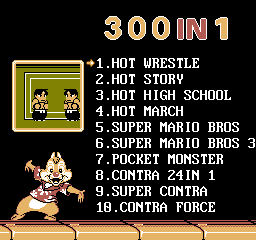
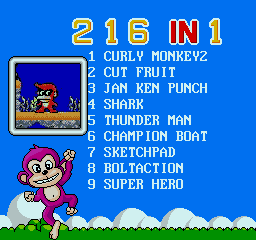
Mini TV - Retro Console 300-in-1 (c) 2018 Orb Gaming.
If you are exploring by feel rather than by title, jump from the tags above into the matching genre rooms, or return to the Arcade hall for the full wall.
Open Play on this page to start Retro 'Mini TV' Console 300-in-1. Keyboard, USB/Bluetooth pads, and the on-screen touch gamepad all work inside the emulator bar. Save states and fullscreen live on that same bar so you can pause mid-session and resume later.
Retro Mini TV Console 300-in-1 is a multi-game plug-and-play stick—300-in-1 branding does not teach you each packed title. Learn the on-stick menu, which game owns the current session, and how resets behave before you hop titles mid-fail. Your job is honest literacy per packed game: finish a real stage in one title before tourism through all 300 burns the sitting.
Boot the Mini TV stick, open the 300-in-1 menu, and pick one game deliberately. Play through its first real threat without rage-swapping to another packed title. Soft-reset only after you name what killed you—enemy pattern, jump mistime, or wrong button map. Early books teach honesty: one clean early clear in a chosen game beats twenty half-starts across the collection. Confirm Retro Mini TV UI once; 300-in-1 chrome is packaging around separate rule sets.
Menu select, per-game control maps, stage flow inside each packed title, and Mini TV reset quirks define the systems. Depth is remembering which grammar you loaded—not mashing a shared button layout across every logo. Collection chrome densifies distraction when the menu glows; keep eyes on the active game’s hitboxes. Mini TV differs from Robin's Adventure—re-read before inventing Robin seating on a random packed ROM from this stick.
Stage clears and lives inside the active game meter real progress; stick resets end a run but not literacy. Extending means fewer panic title-hops and fewer chase resets after near-miss stages. Farming the easiest packed game forever without denser Mini TV titles still leaves the 300-in-1 unread. Progress is stages you can narrate per game, not one lucky Mini TV screenshot. Log one clean early clear before you open a second title in the same sitting.
Common Mini TV fails: hopping titles after every death; ignoring which ROM’s map is loaded; rage-resetting mid-stage; sightseeing stick art instead of reading spawn windows; rushing jumps before the active game’s physics feel honest; pasting Haihai mahjong muscle onto a platformer in the pack. Next session: one game, deliberate inputs only—stop chase piles for menu panic on later Retro Mini TV 300-in-1 cycles.
When Mini TV books stay disciplined, compare Robin's Adventure Version 1.7E Dual deliberately for collection-versus-Robin drift, then return with per-game notes written for Mini TV only. Keep sessions going until rage title-hops stop ending every attempt mid-stage. Cousin multi-game sticks help as contrast after one packed title feels automatic—not as escape from games you still mash. Clear one planned stage carefully before you invent mash tourism again on Retro Mini TV 300-in-1.
Sources cited below under Further reading.
Genre tags on Classic Arcade Games: Handheld, Arcade.
Nearby cabinets you may also open from this hall (each on its own play page):Retro Dance Mat (110 song Super StepMania + 9-in-1 games) (PAL), Alien Attack, Alien Chase, Dribble Away Basketball, BittBoy Mini FC 300 in 1, Kick The Goal Soccer, Pengo (Bandai), Ultraman Monster Battle, Who Wants to Be a Millionaire? (Character Options, Plug and Play, UK), Cybiko Classic (V1), Double Dance Mania - Techno Light Edition, Dance Dance Revolution Disney Mix
Retro Dance Mat (110 song Super StepMania + 9-in-1 games) (PAL) · Alien Attack · Alien Chase · Dribble Away Basketball · BittBoy Mini FC 300 in 1 · Kick The Goal Soccer · Pengo (Bandai) · Ultraman Monster Battle · Who Wants to Be a Millionaire? (Character Options, Plug and Play, UK) · Cybiko Classic (V1) · Double Dance Mania - Techno Light Edition · Dance Dance Revolution Disney Mix
Yes. Classic Arcade Games hosts Retro 'Mini TV' Console 300-in-1 as a Arcade cabinet you can start on this page. The emulator loads in the browser; you do not need to install a separate app.
Arcade stick feel: Arrow keys for the joystick, X/Z (and nearby keys) for buttons, Enter=Start. USB / Bluetooth pads map cleanly; six-button fighters use the face-button cluster.
Our catalog tags Retro 'Mini TV' Console 300-in-1 under Handheld, Arcade. Open those genre rooms from the tags on this page to find more playable cabinets in the same feel.
Copy the iframe code below to embed this game on your site.
<iframe src="https://classicarcade.games/games/arcade/rminitv?embed=1" width="800" height="600" allowfullscreen allow="gamepad; autoplay; fullscreen"></iframe>