Play Game
Powered by EmulatorJS · Arcade
Console (dedicated) published 13 years ago:
Cyber Arcade Center (c) 2013 Lexibook.
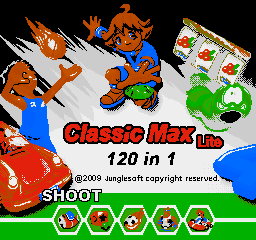
120 games in 1.
- TECHNICAL -
Model JL2000
If you are exploring by feel rather than by title, jump from the tags above into the matching genre rooms, or return to the Arcade hall for the full wall.
Open Play on this page to start Defender M2500P 120-in-1. Keyboard, USB/Bluetooth pads, and the on-screen touch gamepad all work inside the emulator bar. Save states and fullscreen live on that same bar so you can pause mid-session and resume later.
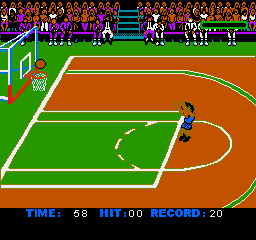
Defender M2500P 120-in-1 (Lexibook Cyber Arcade Center JL2000, 2013) is a dedicated plug-and-play multicart: 120 short titles behind a menu. Commit per game—platform, shooters, and puzzles need real minutes, not menu tourism. Learn this JL2000 control map once, pick one title you can name, and stay until you understand its win condition. The “120” count is not a campaign.
First session: pick one genre you know (platform or shooter), play several real minutes, and map A/B/start on the Lexibook pad. Do not menu-hop every death. Power-cycle once so multicart chrome stops looking like a single game. Early play teaches 120-in-1 grammar: one title, one credit’s worth of time, real rules—before inventing checklist routes through every ROM.
Menu, per-game rules, Lexibook pad mapping, and JL2000 quirks define the systems. Skill is finishing a title’s verbs under multicart distraction. Menu exits mid-level without a plan just buy another attract screen. Track which title you are actually training; that note stops butterfly collection mid-session.
Clearing stages or high scores inside the chosen title score growth; empty continues/resets end it as wired. Pride is fewer menu hops and fewer “I tried 40 games for 20 seconds each” sessions. Farming the menu forever without finishing one title still leaves JL2000 unread. Progress is multicart chrome that no longer forces panic menu escapes mid-level on later sessions.
Menu-hopping every death, never learning one title’s systems, blaming the pad without remapping, and treating the 120 list as the game burn sessions. Power-cycling mid-tilt without naming the miss burns another cycle. Next session: one title, several real minutes, note one control quirk—stop multicart tourism mid-failure.
When one title’s systems stick on JL2000, pick a second genre deliberately for contrast, then return to the first with lab notes. Keep playing this 120-in-1 until menu hops stop ending sessions mid-level on later plays. Other Lexibook multicarts help as contrast after JL2000 feel is mapped—not as escape from unread games. Finish one clear or one honest high-score attempt before opening another ROM from the menu.
Sources cited below under Further reading.
Genre tags on Classic Arcade Games: MultiGame, Arcade.
Nearby cabinets you may also open from this hall (each on its own play page):Defender (Red label), Stargate, Strike Force (rev 1 02/25/91), 39 in 1 MAME bootleg (GNO-V000), New HyperMan (3-in-1 with Cookie & Bibi & HyperMan) (set 1), 4 Fun in 1, Anime Champ (GCA07 VER. JAA), Arcade Classics (prototype), Bishi Bashi Championship Mini Game Senshuken (ver JAA, 3 Players), CPS3 Multi-game bootleg for HD6417095 type SH2 (V4), Galaxy Games StarPak 2, Galaxy Games StarPak 3
Defender (Red label) · Stargate · Strike Force (rev 1 02/25/91)
39 in 1 MAME bootleg (GNO-V000) · New HyperMan (3-in-1 with Cookie & Bibi & HyperMan) (set 1) · 4 Fun in 1 · Anime Champ (GCA07 VER. JAA) · Arcade Classics (prototype) · Bishi Bashi Championship Mini Game Senshuken (ver JAA, 3 Players) · CPS3 Multi-game bootleg for HD6417095 type SH2 (V4) · Galaxy Games StarPak 2 · Galaxy Games StarPak 3 · Galaxy Games StarPak 4 (prototype) · Great Bishi Bashi Champ (GBA48 VER. JAB) · Ghostmuncher Galaxian (bootleg)
Yes. Classic Arcade Games hosts Defender M2500P 120-in-1 as a Arcade cabinet you can start on this page. The emulator loads in the browser; you do not need to install a separate app.
Arcade stick feel: Arrow keys for the joystick, X/Z (and nearby keys) for buttons, Enter=Start. USB / Bluetooth pads map cleanly; six-button fighters use the face-button cluster.
Yes — related series cabinets on this site include Defender (Red label), Stargate, Strike Force (rev 1 02/25/91). Each has its own play page with the same browser emulator path.
Copy the iframe code below to embed this game on your site.
<iframe src="https://classicarcade.games/games/arcade/cybar120?embed=1" width="800" height="600" allowfullscreen allow="gamepad; autoplay; fullscreen"></iframe>