Play Game
Powered by EmulatorJS · Arcade
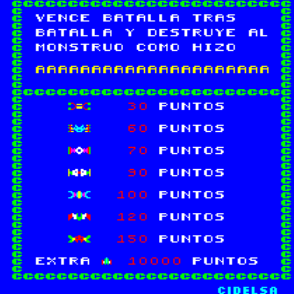
Hordes of aliens descend in waves, requiring players to shoot them down to progress through successive battles. Destroying these enemies eventually triggers the appearance of the Monster Ship, which serves as a primary target within this fixed-screen shooter.
Player layout in our catalog: 2P alt.
If you are exploring by feel rather than by title, jump from the tags above into the matching genre rooms, or return to the Arcade hall for the full wall.
Open Play on this page to start Altair. Keyboard, USB/Bluetooth pads, and the on-screen touch gamepad all work inside the emulator bar. Save states and fullscreen live on that same bar so you can pause mid-session and resume later.
Altair (1981) is a wave shooter: clear descending alien hordes, then face the Monster Ship before continues empty. Shot honesty beats spray. Learn wave tells and Monster Ship windows cold—do not paste Galaga charts blindly. Calm first waves until clean singles are narratable; altair chrome is packaging, not free shields.
First waves: take clean singles, hold a lane, learn when the Monster Ship appears before rush tourism. Power-cycle once so Altair chrome stops looking like Galaga. Early waves teach Altair grammar: planned shots before spray routes that die mid-wave when denser alien formations arrive on later waves.
Ship movement, shot, alien waves, Monster Ship, lives/continues, and Altair UI define the systems. Skill is wave literacy under pressure—not spraying into empty space. After continues, reconfirm wave state and Monster Ship timing before racing again. Keep a one-sentence priority rule before the second wave.
Wave clears and survival score the run; hits tax continues. Continues are coins. Fewer panic sprays and fewer ignored Monster Ship tells keep credits alive. Farming early waves forever without reading denser packs still leaves Altair unread. Progress is chrome that no longer forces death loops mid-wave on later boards.
Spray-firing every silhouette, ignoring lane holds, never saving shots for the Monster Ship, tunneling on sparkle while a bullet finishes you, and freezing until the screen fills burn credits. Power-cycling mid-tilt without a plan burns another credit. Next credit: clean singles, hold a lane—stop mash tourism for scenery and wave panic on later boards.
When Altair waves clear without constant spray deaths, compare Galaga or other early-80s wave shooters deliberately, then return with clean-shot drills. Keep playing until panic-spray empties stop ending sessions mid-wave on later boards. Cousin wave shooters help as contrast after Altair feels automatic—not as escape from waves you still spray for chrome. Clear one full wave carefully before you chase vanity spray again.
Sources cited below under Further reading.
Altair is filed in our catalog as a 1981 release.
Player layout on this cabinet: 2P alt.
Genre tags on Classic Arcade Games: Shooter.
Credit line lists Cidelsa as developer.

Nearby cabinets you may also open from this hall (each on its own play page):Draco, A. D. 2083, Ambush, Asteroids Deluxe (rev 3), Asteroids (rev 4), Astro Blaster (version 3), Astro Fighter (set 1), Battle of Atlantis (set 1), Attack UFO, Aztarac, Azurian Attack, Balloon Bomber
Draco · A. D. 2083 · Ambush · Asteroids Deluxe (rev 3) · Asteroids (rev 4) · Astro Blaster (version 3) · Astro Fighter (set 1) · Battle of Atlantis (set 1) · Attack UFO · Aztarac · Azurian Attack · Balloon Bomber
Cidelsa appears on this cabinet’s credit line. Browse more titles from the same studio on the developer shelf, or stay on this page and try the next cabinets in the same hall.
Yes. Classic Arcade Games hosts Altair as a Arcade cabinet you can start on this page. The emulator loads in the browser; you do not need to install a separate app.
Arcade stick feel: Arrow keys for the joystick, X/Z (and nearby keys) for buttons, Enter=Start. USB / Bluetooth pads map cleanly; six-button fighters use the face-button cluster.
Our catalog tags Altair under Shooter. Open those genre rooms from the tags on this page to find more playable cabinets in the same feel.
Copy the iframe code below to embed this game on your site.
<iframe src="https://classicarcade.games/games/arcade/altair?embed=1" width="800" height="600" allowfullscreen allow="gamepad; autoplay; fullscreen"></iframe>