Play Game
Powered by EmulatorJS · Arcade
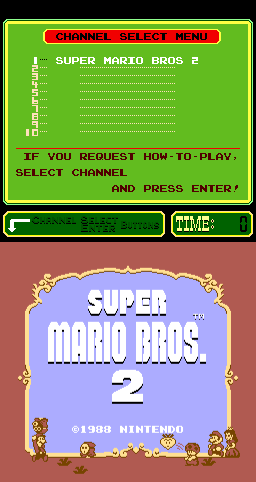
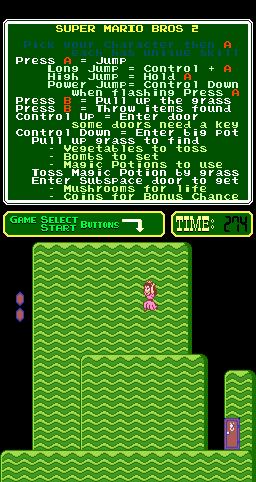
Super Mario Bros. 2 on the PlayChoice-10 hardware provides the same platforming experience found in the original NES version. Players navigate various worlds by jumping and running through scrolling stages, utilizing unique character abilities to overcome obstacles and reach the end of each level.
Player layout in our catalog: 1P.
If you are exploring by feel rather than by title, jump from the tags above into the matching genre rooms, or return to the Arcade hall for the full wall.
Open Play on this page to start Super Mario Bros. 2 (PlayChoice-10). Keyboard, USB/Bluetooth pads, and the on-screen touch gamepad all work inside the emulator bar. Save states and fullscreen live on that same bar so you can pause mid-session and resume later.
Super Mario Bros. 2 (PlayChoice-10) is filed in our catalog as a 1988 release.
Player layout on this cabinet: 1P.
Genre tags on Classic Arcade Games: Platform.
Credit line lists Nintendo as developer.
Nearby cabinets you may also open from this hall (each on its own play page):Vs. Super Mario Bros. (set SM4-4 E), Metroid (PlayChoice-10), Balloon Fight (PlayChoice-10), Popeye (revision D), Vs. Dr. Mario, FamicomBox, Mike Tyson's Punch-Out!! (PlayChoice-10), Pro Wrestling (PlayChoice-10), Volley Ball (PlayChoice-10), Arm Wrestling, HeliFire (set 1), Monkey Magic
Vs. Super Mario Bros. (set SM4-4 E) · Metroid (PlayChoice-10) · Balloon Fight (PlayChoice-10) · Popeye (revision D) · Act-Fancer Cybernetick Hyper Weapon (World revision 3) · Alex Kidd: The Lost Stars (set 2, unprotected) · Aliens (World set 1) · Aaargh (Arcadia) · The Astyanax (EPROM version) · Athena · Baluba-louk no Densetsu (Japan) · Chou Zetsurinjin Berabowman (Japan, Rev C)
Metroid (PlayChoice-10) · Balloon Fight (PlayChoice-10) · Popeye (revision D) · Vs. Dr. Mario · FamicomBox · Mike Tyson's Punch-Out!! (PlayChoice-10) · Pro Wrestling (PlayChoice-10) · Volley Ball (PlayChoice-10) · Arm Wrestling · HeliFire (set 1) · Monkey Magic · Duck Hunt (PlayChoice-10)
Nintendo appears on this cabinet’s credit line. Browse more titles from the same studio on the developer shelf, or stay on this page and try the next cabinets in the same hall.
Metroid (PlayChoice-10) · Balloon Fight (PlayChoice-10) · Popeye (revision D) · Vs. Dr. Mario · FamicomBox · Mike Tyson's Punch-Out!! (PlayChoice-10) · Pro Wrestling (PlayChoice-10) · Volley Ball (PlayChoice-10)
Yes. Classic Arcade Games hosts Super Mario Bros. 2 (PlayChoice-10) as a Arcade cabinet you can start on this page. The emulator loads in the browser; you do not need to install a separate app.
Arcade stick feel: Arrow keys for the joystick, X/Z (and nearby keys) for buttons, Enter=Start. USB / Bluetooth pads map cleanly; six-button fighters use the face-button cluster.
Yes — related series cabinets on this site include Vs. Super Mario Bros. (set SM4-4 E). Each has its own play page with the same browser emulator path.
Copy the iframe code below to embed this game on your site.
<iframe src="https://classicarcade.games/games/arcade/pc_smb2?embed=1" width="800" height="600" allowfullscreen allow="gamepad; autoplay; fullscreen"></iframe>